An ethnic-wear brand needed on-model photos for every saree, but a studio shoot for each new design was slow and expensive. DXDasia built an AI pipeline that turns a single garment photo into model photoshoot images, and solved the problem of AI quietly changing the garment.
On-Model Product Photos Without a Studio Shoot
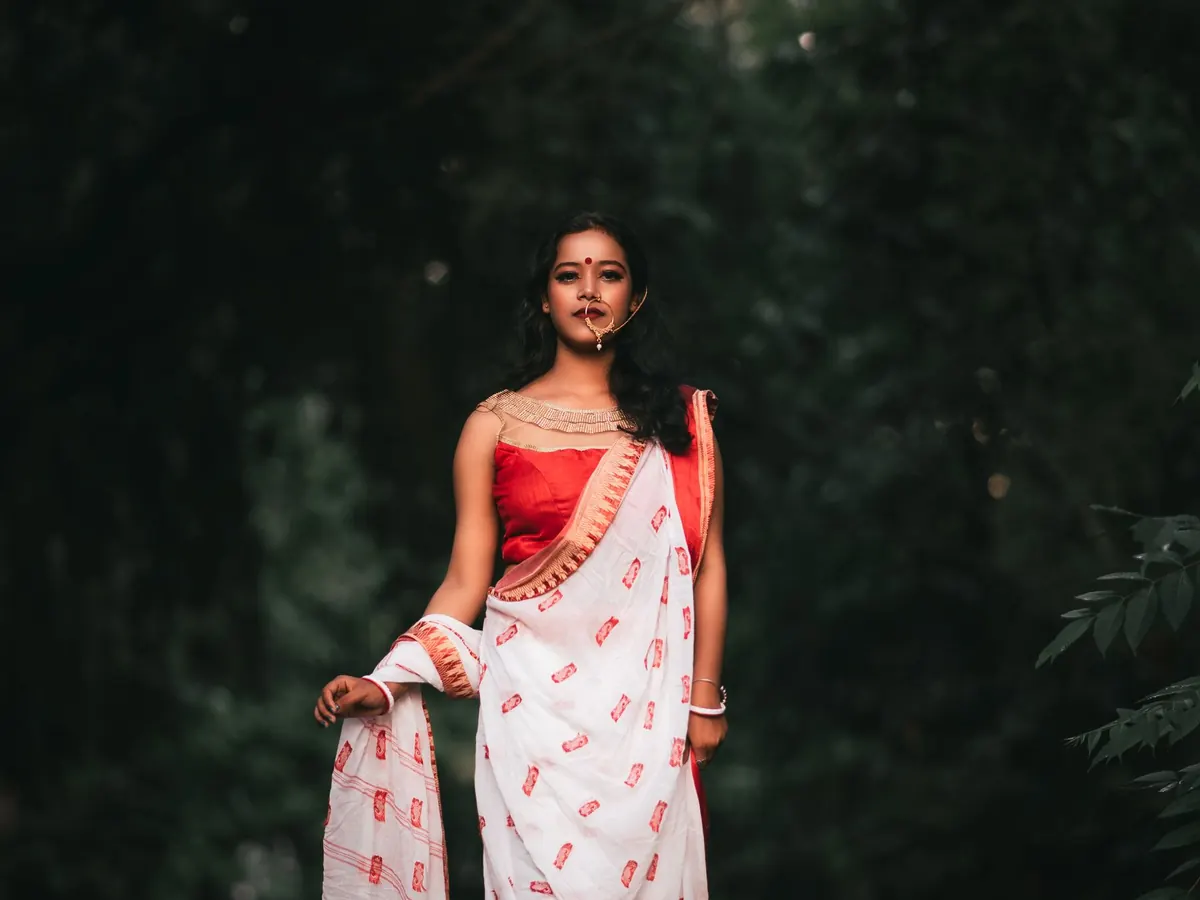
Every new design needed model photos, and every shoot took time and budget.
We built a scripted pipeline around an AI image generation service, tuned for garment accuracy.
The brand gets on-model images from a single product photo:
AI image generation is fast but easily drifts from the real product, and a photo that shows a different pattern is worse than no photo. Generating one image per request, restating the exact garment each time and checking every output kept the speed of AI while keeping the product accurate.
The pipeline is a command-line script that uploads the garment, submits a generation request, polls for completion and downloads the result. Batch requests and generic pose prompts were the main causes of drift, so the script generates one image per call with a garment-specific prompt. A person compares each image with the source before it is published.
Because shoppers rely on images, and they notice when a product doesn't match. Syndigo's Unwrapped 2024 survey, run by YouGov with 2,429 US adults, found 49% of Black Friday and Cyber Monday week shoppers looked for basic product images, and 57% had seen a product look different in ads or marketing than it did in reality. Mismatches feed returns: the US National Retail Federation estimated 16.9% of US retail sales in 2024, about US$890 billion, would be returned.
That is why our pipeline puts garment accuracy first. An AI image that subtly changes a saree's border or colour may look good, but it creates exactly the mismatch customers complain about.
| Finding | Source |
|---|---|
| 49% of peak-week shoppers looked for basic product images | Syndigo / YouGov, Unwrapped 2024 |
| 57% saw products look different in marketing than in reality | Syndigo / YouGov, Unwrapped 2024 |
| 16.9% of 2024 US retail sales expected to be returned (US$890B) | National Retail Federation (2024) |
On major platforms, yes. Google Merchant Center requires images created with generative AI to carry the IPTC DigitalSourceType "TrainedAlgorithmicMedia" metadata tag, and merchants must not remove it. In the EU, Article 50 of the AI Act sets transparency obligations for AI-generated content, phasing in from August 2026. Any AI photoshoot workflow should preserve these labels from generation to upload.
For many catalogue images, yes, if accuracy is controlled. Hero campaigns may still benefit from a real shoot.
When an AI image generator subtly changes the product, such as its pattern, colour or border, so the photo no longer matches what customers receive.
Yes. We set up the pipeline for your products, tune the prompts for accuracy and add a review step before publishing.